How to Add Watermarks to Your PDFs: Why It's Important?
In the digital age, protecting your intellectual property and ensuring that your documents are secure and recognizable is more important than ever. Adding watermarks to your PDFs can be a simple yet effective way to safeguard your work, brand, and confidential information. In this article, we will explore how to add watermarks to your PDFs and why it is essential for your business.
What is a PDF Watermark?
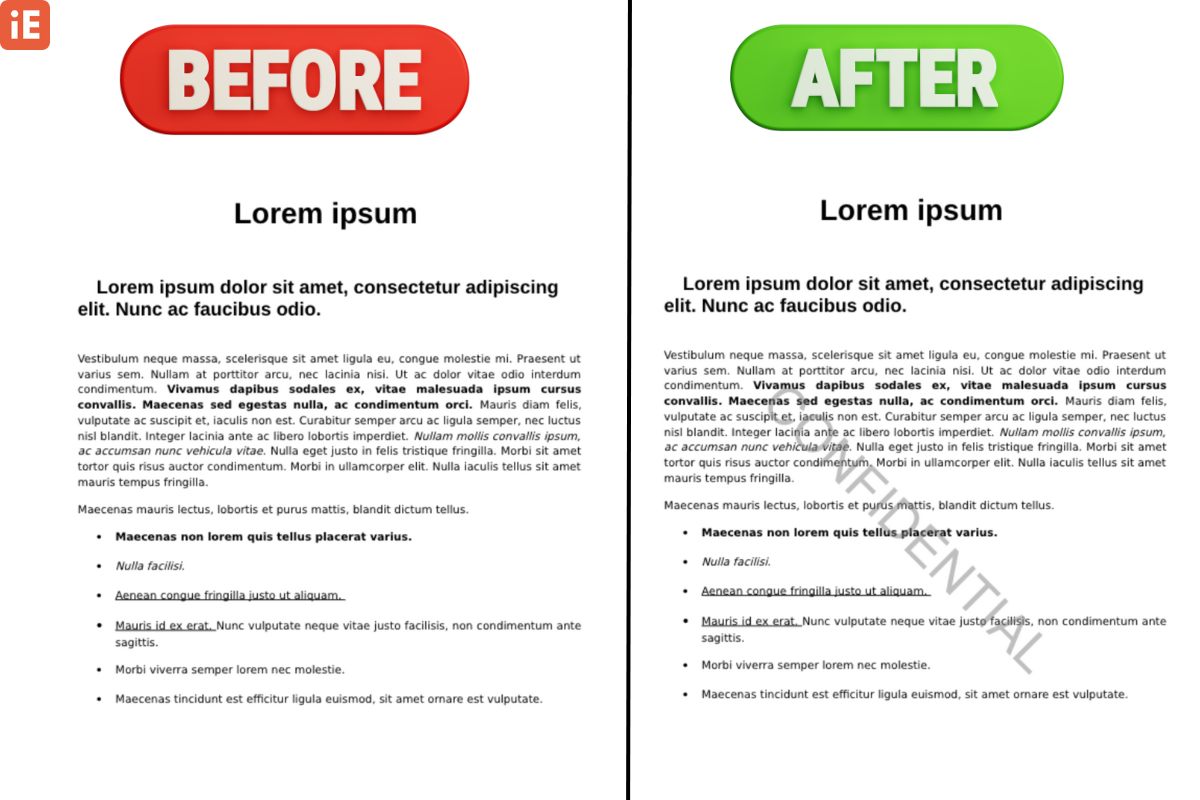
A PDF watermark is an image, text, or logo that appears on the pages of a PDF document. It serves as a visible or invisible marker that can signify ownership, copyright, or confidentiality. Watermarks can be used in various ways, from marking a document as confidential to adding branding or legal disclaimers.
Why Should You Add Watermarks?
Protection of IP
In today’s digital world, it's easy for your work to be copied. A watermark adds a crucial layer of security by visibly claiming ownership, acting as a deterrent against unauthorized use.
Branding Your Documents
Reinforce your brand identity. Whether sharing contracts or proposals, your logo on each page ensures instant recognition and maintains consistency.
Prevent Unauthorized Distribution
Mark documents with "Confidential" or "Internal Only" to immediately signal sensitivity. This reduces the chances of inappropriate sharing.
Improve Document Credibility
Establish authenticity for important business or legal documents. It adds a professional layer of legitimacy, useful in real estate, law, or finance.
Tracking Your Documents
Add unique identifiers or recipient names to track who accessed your documents. This is crucial for dealing with sensitive client information and tracing leaks.
How to Add Watermarks to Your PDFs
Adding a watermark to a PDF is easier than you might think. Here’s how you can do it using online PDF tools:
Open the Tool
Navigate to the Watermark PDF Files Tool from the homepage or menu.
Upload Your PDF
Upload the PDF document that you want to add a watermark to. This tool lets you drag and drop the file directly into the interface.
Choose Your Watermark Type
You can choose between text or image watermarks.

- Text Watermark: Add a word or phrase such as "Confidential," "Draft," or your company name. You can also adjust the font, size, and transparency.
- Image Watermark: Upload your company logo or a specific image to be used as the watermark. Adjust its position and transparency to ensure it doesn’t obstruct the content of your document.
Adjust the Watermark Settings
iEditOnline’s PDF Watermark tool allows you to adjust various watermark settings, including:
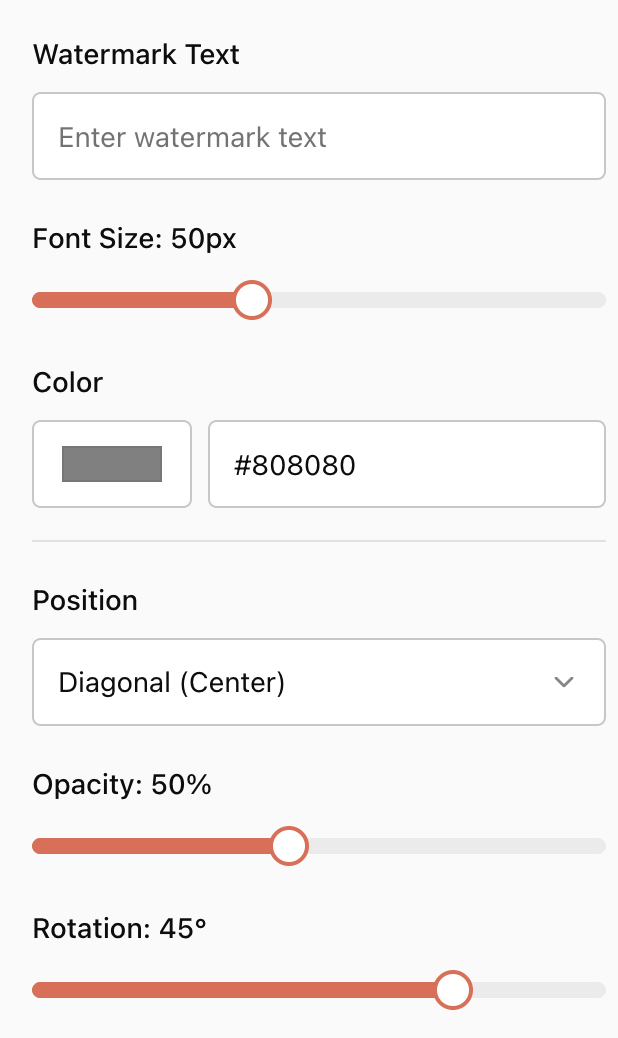
- Transparency: Make the watermark faint so it doesn’t overpower the content.
- Rotation: Add a diagonal watermark to make it more noticeable.
- Positioning: Choose where you want the watermark to appear on the page—centered, top-left, bottom-right, etc.
- Size: Ensure the watermark is appropriately sized for your document.
Apply the Watermark
After customizing the watermark, apply it to the entire document or specific pages. The watermark will be added to your PDF as a permanent feature, ensuring that it cannot be easily removed without editing the document.
Download the Watermarked PDF
Once you’ve added the watermark, download the newly updated PDF to your device. Now, your document is secure, branded, and ready for sharing.

Best Practices for Using Watermarks in Your Business
- Subtlety is Key: Ensure your watermark doesn’t overwhelm the document’s content. A watermark should be visible but not distracting. Too much transparency or a very bold watermark may hinder the document’s readability.
- Consistency: Use the same watermark across all your business documents to maintain consistency. Whether it’s your logo, company name, or a specific legal phrase, consistent watermarking helps reinforce your brand and message.
- Choose the Right Tool: While many tools are available online, ensure you're using a reliable and secure platform like iEditOnline. Your business’s confidential information needs to be protected, so avoid using platforms that lack encryption or data protection policies.
- Legal Watermarks: For highly confidential documents, add legal disclaimers or confidentiality statements in your watermark to explicitly inform recipients of the document’s sensitivity.
Conclusion
Adding watermarks to your PDFs is a simple yet effective strategy for securing your documents, promoting your brand, and preventing unauthorized use or distribution. Whether for internal company documents, client reports, or marketing materials, watermarks help safeguard your intellectual property and add an extra layer of professionalism to your business materials. By implementing this practice, you ensure your documents maintain their integrity and security in a digital world where data can easily be copied, modified, or leaked.
FAQs
1. Why should I add a watermark to a PDF?
Watermarks help protect your intellectual property, establish ownership, and deter unauthorized distribution. They also serve to brand your documents and can mark sensitive or confidential files.
2. Can I use both text and image watermarks?
Yes, you can add both text and image watermarks. For example, you could use a text watermark for confidentiality ("Confidential") and an image watermark like your company logo for branding.
3. Can a watermark be removed from a PDF?
While technically possible, watermarks can be difficult to remove, especially with basic tools. They make it easier to track unauthorized use or distribution of a document.
4. How do I adjust the opacity of a watermark?
Most tools let you adjust the transparency of the watermark, ensuring it is visible but not overpowering the content. You can control the opacity to maintain readability.
5. Can I watermark only certain pages of a PDF?
Yes, many tools allow you to apply a watermark to specific pages, which is useful if you want to highlight confidentiality on certain sections of a document while leaving others unaffected.
6. Are online watermark tools secure?
It’s important to choose a reputable watermark tool that offers encryption and has strong data protection policies, especially when dealing with sensitive or confidential documents.
Ready to Protect Your Documents?
Secure your PDFs with a watermark and reinforce your brand in seconds.
Add Watermark Now — It's Free